Apple Touch-Screen MacBook and iPad Mini Debut in October
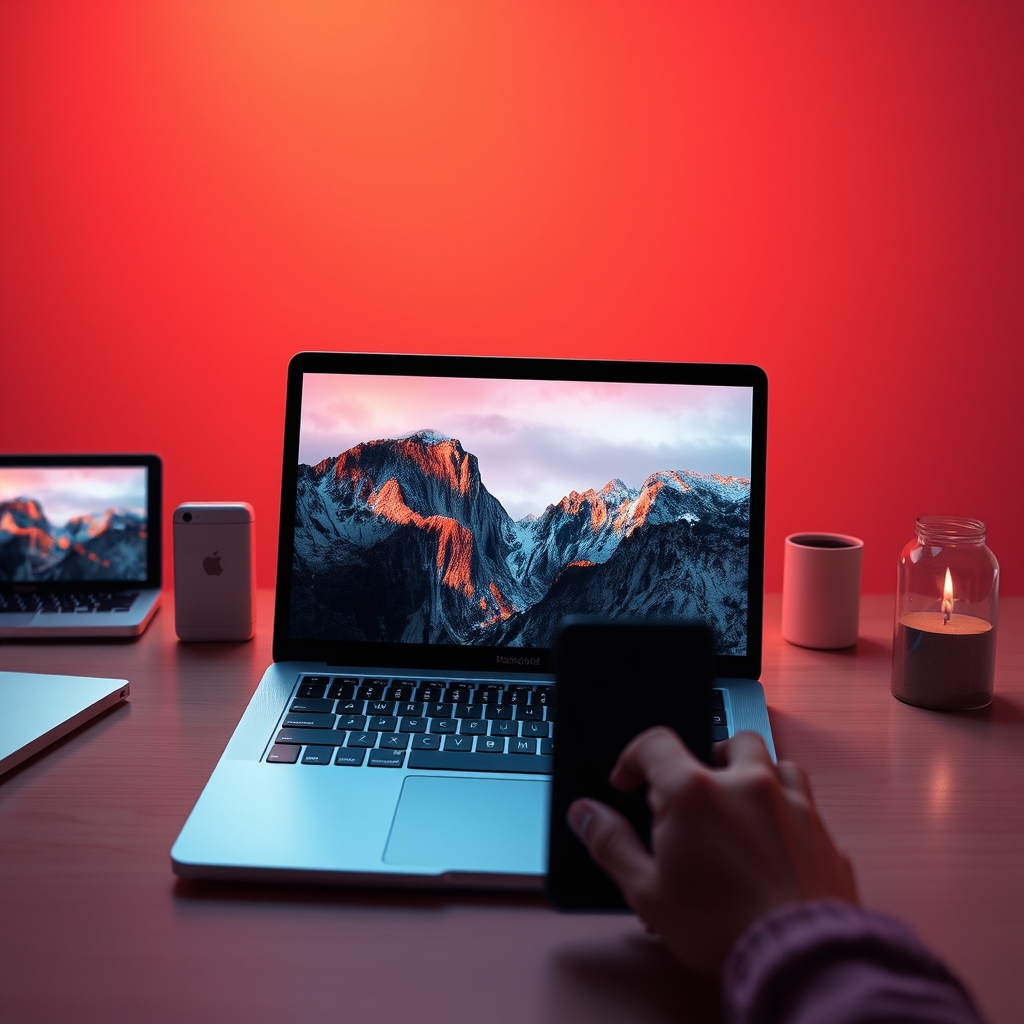
The tech world is bracing for one of the most unexpected strategic shifts in Apple history. According to a detailed report from Bloomberg, Apple is preparing to introduce a touch-screen MacBook alongside an updated iPad Mini during a launch window in late October. For over a decade, Apple executives insisted that laptops and touch screens do not belong together. Now, the company appears ready to rewrite its own rulebook.
This upcoming announcement represents more than just a routine hardware refresh. It signals a fundamental rethink of how users interact with personal computers, bridges the philosophical divide between the Mac and the iPad, and sets the stage for a new generation of creative computing. In this deep dive, we explore everything Bloomberg revealed, examine the engineering challenges Apple faces, and break down what this means for consumers, professionals, and the wider PC ecosystem.
Breaking the Steve Jobs Rule: The Touch-Screen Mac
To understand why a touch-screen MacBook is such a monumental development, one must look back to 2010. During the launch of the original iPad, Steve Jobs famously criticized the idea of adding touch displays to laptops. He described vertical touch surfaces as ergonomically terrible, arguing that extended use causes the user’s arm to fatigue quickly, a phenomenon known in user experience design as gorilla arm.
For nearly fifteen years, Apple held firmly to that philosophy. While Windows manufacturers flooded the market with 2-in-1 convertibles, detachable screens, and touch-enabled clamshell laptops, Apple maintained a strict boundary. The iPad was for direct touch interaction, and the Mac was built for high-precision pointers, keyboards, and expansive trackpads. Former design chief Jony Ive and current marketing heads repeatedly reinforced this distinction.
Yet, customer habits have evolved. A generation of users grew up using iPhones, iPads, and touch-enabled Chromebooks in classrooms. When younger professionals sit down in front of a modern laptop, their instinctive first gesture is often to reach out and tap the screen. Bloomberg reports that Apple has recognized this reality. Rather than continuing to push back against user habits, the hardware engineering teams in Cupertino have developed a solution that aims to combine the precision of macOS with intuitive touch controls.
Engineering the Display: OLED and Advanced Digitizers
Building a touch-screen MacBook is not as simple as sticking an iPad glass panel onto an existing MacBook Pro lid. Doing so would cause noticeable problems with weight, hinge stability, and optical clarity. Modern MacBooks feature remarkably thin display lids, carefully counterbalanced so that users can open them smoothly with one finger.
Adding traditional touch layers to a standard LCD screen adds thickness and weight. If the display lid becomes too heavy, the hinge cannot hold the screen steady when a finger taps against it. Every touch would result in annoying screen wobble. According to supply chain details highlighted by Bloomberg, Apple is relying on next-generation OLED panel technology to solve these mechanical hurdles.
These new displays are expected to integrate the touch sensors directly into the OLED stack itself, rather than using an extra layer of glass. This technique, often called on-cell or in-cell touch integration, preserves the paper-thin profile of the MacBook display assembly. Furthermore, OLED technology eliminates the bulky mini-LED backlights found in current high-end MacBooks, shaving off crucial fractions of a millimeter and counterbalancing the added components.
Apple has also reportedly redesigned the friction hinge mechanism. The new hinge retains the effortless one-finger opening experience while providing stiff resistance when pressed from the front. This prevents the display from flexing backward when users tap icons, scroll through documents, or zoom into images.
Another major engineering hurdle is fingerprint resistance. Glossy touch screens quickly accumulate oils, which can degrade display clarity, especially under bright studio lights or direct sunlight. Apple is rumored to be introducing an advanced oleophobic coating that significantly reduces visible smudges while retaining the anti-reflective properties professional editors demand.
Adapting macOS: The Software Challenge
Hardware is only half the battle. The true test of a touch-screen MacBook lies in the operating system. Windows 8 tried to force a touch-first interface onto desktop users and faced immense backlash. Windows 11 handles touch much better, but desktop operating systems are inherently built around tiny cursor targets.
macOS has historically featured compact menu bars, minuscule close buttons, and dense dropdown lists designed for precise trackpad cursors. If Apple simply enabled touch input without modifying the interface, the user experience would be frustrating. Tapping a tiny close button on a high-resolution 14-inch screen with a human fingertip often leads to misclicks.
Bloomberg indicates that Apple is taking a hybrid approach. The core interface of macOS will remain recognizable and optimized for the trackpad and keyboard. However, the system will feature context-aware touch targets:
- Adaptive Target Scaling: When the display detects a finger approaching the screen, interface elements such as control buttons, menu items, and window managers can subtly expand to accommodate a fingertip.
- Natural Gestures: Users can effortlessly pinch to zoom on web pages and photo canvases, swipe down with multiple fingers to activate Mission Control, or flick through long code repositories and spreadsheets.
- Preservation of Desktop Purity: Unlike Windows convertibles, the MacBook will not attempt to transform into a bulky, unwieldy tablet. The keyboard and trackpad remain the primary input methods, with touch serving as a complementary, high-speed secondary tool.
This design philosophy matches how Apple handled trackpad support on the iPad. Instead of turning the iPad into a Mac clone, Apple created a fluid, dynamic cursor that morphs around buttons. On macOS, the touch experience will likely follow a similar principle, enhancing the existing workflow without breaking traditional professional power.
Apple Silicon: The Driving Engine
None of this would be practical without Apple Silicon. Prior to the transition to custom ARM-based chips, Intel-powered MacBooks struggled with thermal output and battery drain. Running high-frequency touch-sensing digitizers alongside power-hungry displays and processors would have severely compromised battery life.
The upcoming touch-screen MacBook models will run on Apple’s latest generation of M-series processors, built on advanced 3-nanometer architecture. These chips offer immense computing power while maintaining class-leading energy efficiency. The dedicated Neural Engine and display management blocks within the silicon allow the system to process high-polling-rate touch input with virtually zero latency, all while keeping the machine cool and quiet.
Moreover, modern Mac applications are already closer to touch apps than many realize. Because Apple Silicon Macs share an underlying architecture with iPads and iPhones, developers have spent years unifying their codebases via Apple Catalyst and SwiftUI. Many apps in the Mac App Store already possess underlying touch-ready frameworks waiting to be activated.
The iPad Mini 7: Portable Computing Perfected
While the touch-screen MacBook captures major headlines, the Bloomberg report highlights another highly anticipated release: the new iPad Mini. The smallest tablet in Apple’s lineup has not seen an update since late 2021, leaving it overdue for a modern refresh.
The iPad Mini holds a unique position in Apple’s product portfolio. It is beloved by pilots, medical professionals, field workers, mobile gamers, and book lovers who find the standard 11-inch tablets too large for one-handed use. However, the sixth-generation model suffered from a few notable shortcomings that Apple is finally addressing in this late October release.
Solving the Jelly Scrolling Phenomenon
The most widely discussed flaw of the iPad Mini 6 was jelly scrolling. When scrolling through text in portrait orientation, one side of the display refreshed slightly faster than the other, creating a noticeable, distracting wobble effect. While Apple previously explained that this is normal behavior for LCD panels, users found it frustrating.
According to Bloomberg, the upcoming iPad Mini features an upgraded display controller. By changing how the screen refreshes row by row, Apple has effectively resolved the jelly scrolling issue. The new screen provides smooth, uniform vertical scrolling, making reading books, articles, and long documents vastly more comfortable.
Upgraded Performance and Apple Intelligence Support
The current iPad Mini runs on the A15 Bionic chip, which lacks the memory bandwidth and unified RAM capacity needed for modern on-device artificial intelligence. The new model is expected to skip straight to the A17 Pro or even a variant of the A18 family, paired with a minimum of 8GB of RAM.
This memory upgrade is crucial. It brings the iPad Mini into the Apple Intelligence fold. Users will gain access to system-wide writing tools, smart notifications, advanced photo editing features, and the overhauled Siri assistant. For a device often used as a digital notepad, having on-device generative AI makes the compact tablet far more capable in professional and educational settings.
Enhanced Connectivity and Accessories
The updated iPad Mini will also benefit from modern wireless standards. It is slated to support Wi-Fi 6E or Wi-Fi 7 for faster local network speeds, along with upgraded Bluetooth 5.3 for lower latency when connected to audio devices. Cellular models will see improved 5G band support for more reliable field work.
Additionally, the new Mini is expected to feature compatibility with the Apple Pencil Pro. This brings haptic feedback, barrel roll gestures, and squeeze controls to the smallest canvas in Apple’s lineup, turning the iPad Mini into an exceptional portable sketchbook for digital artists and note-takers.
Comparative Overview: Current vs. Upcoming Models
To help visualize what these late October announcements bring to the table, here is a detailed breakdown comparing the current generation devices with the incoming updates detailed by Bloomberg.
| Feature | Current Generation (MacBook Pro / iPad Mini 6) | Upcoming October Models |
|---|---|---|
| MacBook Input | Keyboard and Force Touch trackpad only | Keyboard, trackpad, and integrated OLED touch display |
| MacBook Display Tech | Liquid Retina XDR (Mini-LED) | Advanced low-profile OLED with touch digitizer |
| MacBook Hinge Design | Standard fluid-friction hinge | Reinforced touch-stable resistance hinge |
| iPad Mini Processor | A15 Bionic (4GB RAM) | A17 Pro / A18 family (8GB RAM minimum) |
| iPad Mini AI Support | Not compatible with Apple Intelligence | Full native Apple Intelligence support |
| iPad Mini Display Behavior | Noticeable portrait jelly scrolling | Redesigned display controller for uniform refresh |
| Stylus Compatibility | Apple Pencil (2nd Gen) and Apple Pencil (USB-C) | Apple Pencil Pro with haptics and squeeze gestures |
Why Late October? Understanding Apple’s Release Strategy
Apple’s hardware release schedule follows a deliberate pattern. September belongs almost exclusively to the iPhone and the Apple Watch, ensuring consumer attention is locked onto the company’s biggest revenue drivers. Once the initial iPhone launch wave settles, October provides the perfect window for secondary computing announcements.
In previous years, late October has served as the launchpad for major Mac transitions. Last year, Apple hosted its late-October Scary Fast virtual event, introducing the M3 chip family. Timing these announcements for late October allows Apple to achieve several strategic goals:
- Capturing the Holiday Shopping Window: Unveiling new hardware in late October guarantees that shipping units arrive on store shelves just in time for Black Friday, Cyber Monday, and peak December holiday gift shopping.
- Boosting Q4 Financial Results: Introducing high-margin products like a premium touch-screen MacBook and an updated iPad Mini helps bolster revenue figures as Apple closes out the calendar year.
- Countering PC Competitors: Windows laptop makers historically announce refreshed lineups ahead of the autumn buying season. A splashy, unconventional Apple announcement keeps tech enthusiasts and corporate buyers from defecting to alternative platforms.
Market Implications: How Competitors Will React
The introduction of a touch-screen MacBook will send shockwaves through the PC industry. For years, Windows manufacturers have used touch screens as a key differentiator in their marketing campaigns against Apple. Commercials highlighting users tapping their PC screens while Mac users look on helplessly have been a common advertising trope.
If Apple successfully implements touch on macOS without compromising battery life, display thinness, or interface elegance, that competitive advantage vanishes overnight. Premium ultrabook manufacturers like Dell, HP, and Lenovo will face renewed pressure to justify their designs. It may also accelerate the development of alternative form factors, such as dual-screen laptops and foldable display PCs, as Windows OEMs look for new ways to stand out.
Furthermore, this move could radically shift developer priorities. If millions of Mac users gain touch capability, software developers will quickly update their Mac applications to include dedicated touch controls, on-screen dials, and custom gesture shortcuts. Creative software suites like Adobe Creative Cloud, DaVinci Resolve, and Logic Pro could see transformative updates that let editors scrub through timelines and tweak color wheels with their hands while maintaining keyboard shortcuts.
Addressing Common Concerns: Will It Cannibalize the iPad?
A natural question arises from this Bloomberg report: if the MacBook gets a touch screen, why would anyone buy an iPad Pro? Apple has spent years marketing the iPad Pro as a versatile computer replacement, complete with the Magic Keyboard accessory.
The reality is that both product lines serve fundamentally different workflows. The iPad Pro remains a tablet-first device. It is light, highly portable, detachable, and tailored for users who prioritize handheld reading, drawing with the Apple Pencil, and using touch-centric mobile applications. Even with a keyboard attached, iPadOS is designed for modular, focused tasks.
The touch-screen MacBook, by contrast, is a heavy-duty workstation. It retains full desktop windowing, complex file system access, command-line terminal tools, external display daisy-chaining, and support for legacy software environments. Adding touch input does not turn the MacBook into a tablet; it simply gives power users an additional, high-speed input method for navigation and creative manipulation.
Rather than cannibalizing one another, the two devices complement each other more clearly. The iPad Mini and iPad Pro serve those who want true handheld freedom and digital ink, while the touch-screen MacBook serves professionals who need raw desktop capability with modern, fluid physical interaction.
Should You Wait for the October Event?
With this announcement expected in late October, potential buyers face an important decision. If you are currently in the market for an Apple device, should you pull the trigger now or hold out for the upcoming hardware?
For Laptop Shoppers: If you rely on traditional trackpad workflows and need a reliable machine immediately for school or work, current M-series MacBooks remain exceptional performers with incredible battery life. However, if you have long envied the touch screens found on modern Windows machines, or if you work extensively in digital audio, photo grading, or interface design, waiting until late October is highly recommended. The arrival of an OLED touch panel could redefine the Mac user experience for the next decade.
For Tablet Shoppers: The advice here is straightforward: do not buy an iPad Mini 6 right now. With the current model running on aging silicon that cannot support Apple Intelligence, purchasing one at full retail price weeks before a major refresh would be a mistake. The upcoming iPad Mini will fix screen scrolling issues, double the operational RAM, bring massive processing leaps, and ensure compatibility with modern AI workflows, making it well worth the brief wait.
Final Thoughts
Apple’s upcoming late October launch is shaping up to be one of the most consequential events on the technology calendar. By tackling long-standing criticisms and embracing input methods it once rejected, Apple is demonstrating a willingness to adapt to modern user expectations.
A touch-screen MacBook marks the start of a fascinating new chapter for macOS, combining desktop power with intuitive tactile interaction. Simultaneously, the updated iPad Mini promises to breathe new life into the beloved ultra-portable tablet segment. As late October approaches, TechRook will continue tracking every leak, supply chain update, and official confirmation coming out of Cupertino.




news via inbox
Nulla turp dis cursus. Integer liberos euismod pretium faucibua